
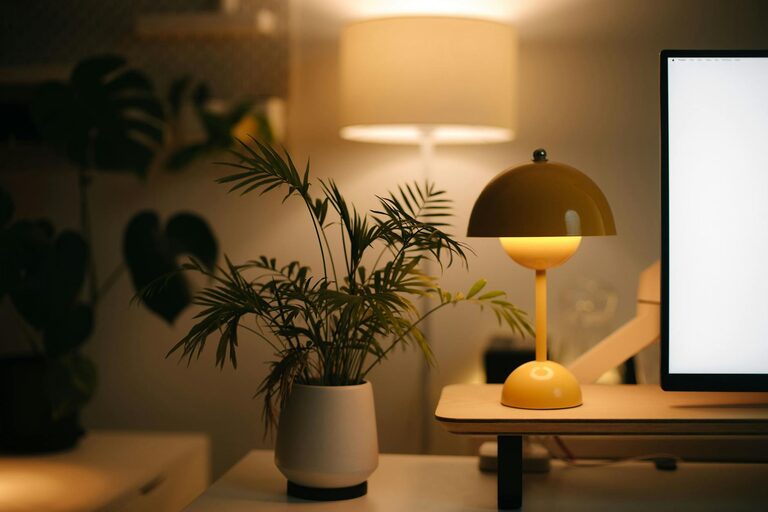
Creating a cozy and functional home workspace is essential, especially as more people embrace remote work or flexible schedules. A well-designed area not only boosts your productivity but also makes working from home more enjoyable. Whether you have a dedicated room or just a small corner, these tips will help you set up a workspace that balances comfort and efficiency.
Choose the Right Location
Finding the perfect spot for your home workspace is the first step. Consider a quiet area with minimal distractions where you can focus. Ideally, choose a spot with natural light to help improve mood and reduce eye strain. If space is limited, a corner in your living room or bedroom can work—just make sure it is clearly defined as your work area.
Invest in Comfortable and Supportive Furniture
Ergonomic Chair
An ergonomic chair is crucial to maintain good posture and prevent back pain. Look for adjustable features such as seat height, backrest angle, and lumbar support. Spending a bit more on a quality chair pays off by making long hours more comfortable.
Desk Options
Your desk should fit the space and your needs. If you use multiple monitors or need room for notebooks and office supplies, choose a larger desk. For small spaces, consider a compact desk or a wall-mounted foldable option that you can tuck away when not in use.
Optimize Lighting
Good lighting improves focus and reduces eye strain. Aim for a mix of natural light and artificial sources.
– Position your desk near a window for daylight.
– Use a desk lamp with adjustable brightness and color temperature.
– Avoid glare by positioning screens perpendicular to windows.
Personalize Your Space
Adding personal touches can make your workspace inviting and inspiring.
– Use your favorite colors on walls or accessories.
– Display photos, artwork, or plants.
– Incorporate a cozy throw blanket or cushion for warmth.
These elements enhance comfort and help create a space you look forward to spending time in.
Keep It Organized
Clutter can be distracting and reduce productivity. Implement smart storage solutions:
– Use shelves or cabinets to keep items off your desk.
– Organize supplies in containers or drawer dividers.
– Adopt a “clear desk” policy at the end of each day to start fresh.
Organization helps maintain a clear mind and saves time searching for needed materials.
Use Technology Wisely
Equip your workspace with the tools you need to work efficiently.
– High-speed internet connection is a must.
– Invest in a quality keyboard and mouse for comfort.
– Use wireless chargers or cable organizers to manage cords neatly.
– Consider noise-cancelling headphones if background noise is an issue.
Create Boundaries
If you share your home with family or roommates, setting boundaries signals when you’re working.
– Use a room divider or curtains if necessary.
– Communicate your work hours clearly.
– Turn off notifications during focused periods.
Having boundaries helps reduce interruptions and stress.
Add Comfort Accessories
Comfort boosts productivity by making your experience pleasant.
– Use a footrest to reduce leg fatigue.
– Have a water bottle or cup nearby to stay hydrated.
– Use a small fan or heater depending on your climate.
Take Breaks and Move Around
Finally, remember that no setup can replace the benefits of regular breaks.
– Follow the 20-20-20 rule: every 20 minutes, look 20 feet away for 20 seconds.
– Stand up and stretch or take a short walk every hour.
– Use a standing desk converter if you like to change positions during the day.
—
By combining comfort with practical features, your home workspace can become a place where you enjoy working and perform at your best. Experiment with these tips and customize your setup until it feels just right for you. Happy working!